Welcome to Prepayments
Automate the creation of your prepayment schedules and expense amortisation entries.



Here’s how our Prepayments product is helping teams save hours across the globe


"Finally a clean product for deferred revenue and prepayments. 5-stars.
I love it. I've already recommended it to multiple clients."

"I was so excited to be part of the beta for their deferred revenue and prepayment modules. I confess that a bunch of work came up, which delayed me getting started.
Can't believe what I was missing! OH MY GOD. What a PRODUCT."

"The Mayday suite has made a huge contribution to our ability to close month end faster and more accurately. And having seen the exciting product roadmap they have, I'm sure the Mayday impact will only continue to grow."
How does Prepayments save you time?
1: Identify relevant bills in seconds
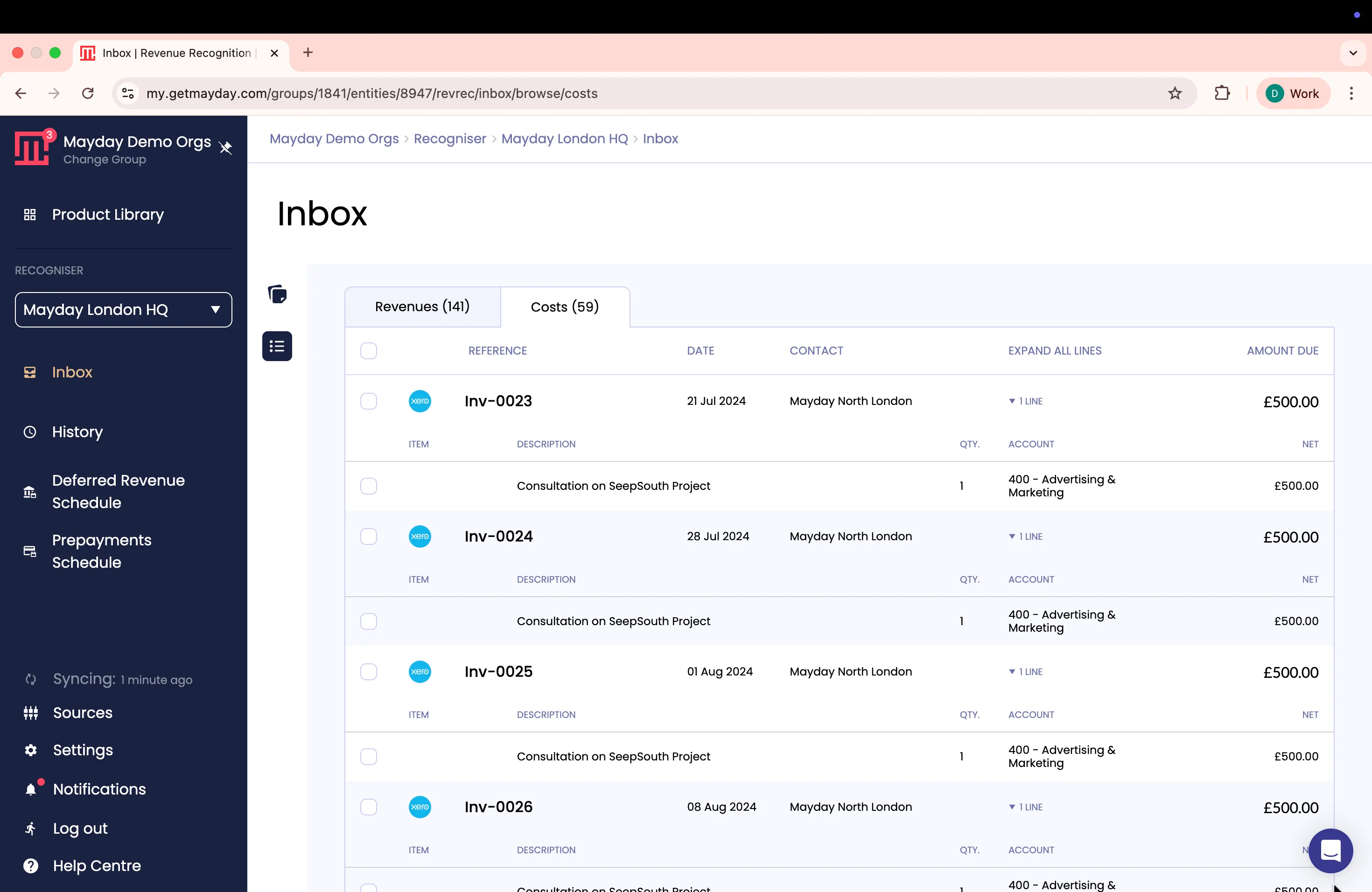
Mayday's AI-powered inbox scans all of your bills and surfaces which require prepayment schedules.

Set custom rules
Choose which expense accounts you want Mayday to monitor and set your schedule start date.

Review with ease
Review bills either individually or in bulk, giving you full control and oversight.
2. Apply recommended prepayment schedules
No more spreadsheets. Mayday calculates and recommends the correct prepayment schedule for every transaction.

Approve calculations
Easily review recommended schedules in your inbox and make edits where needed.

Validate your schedules
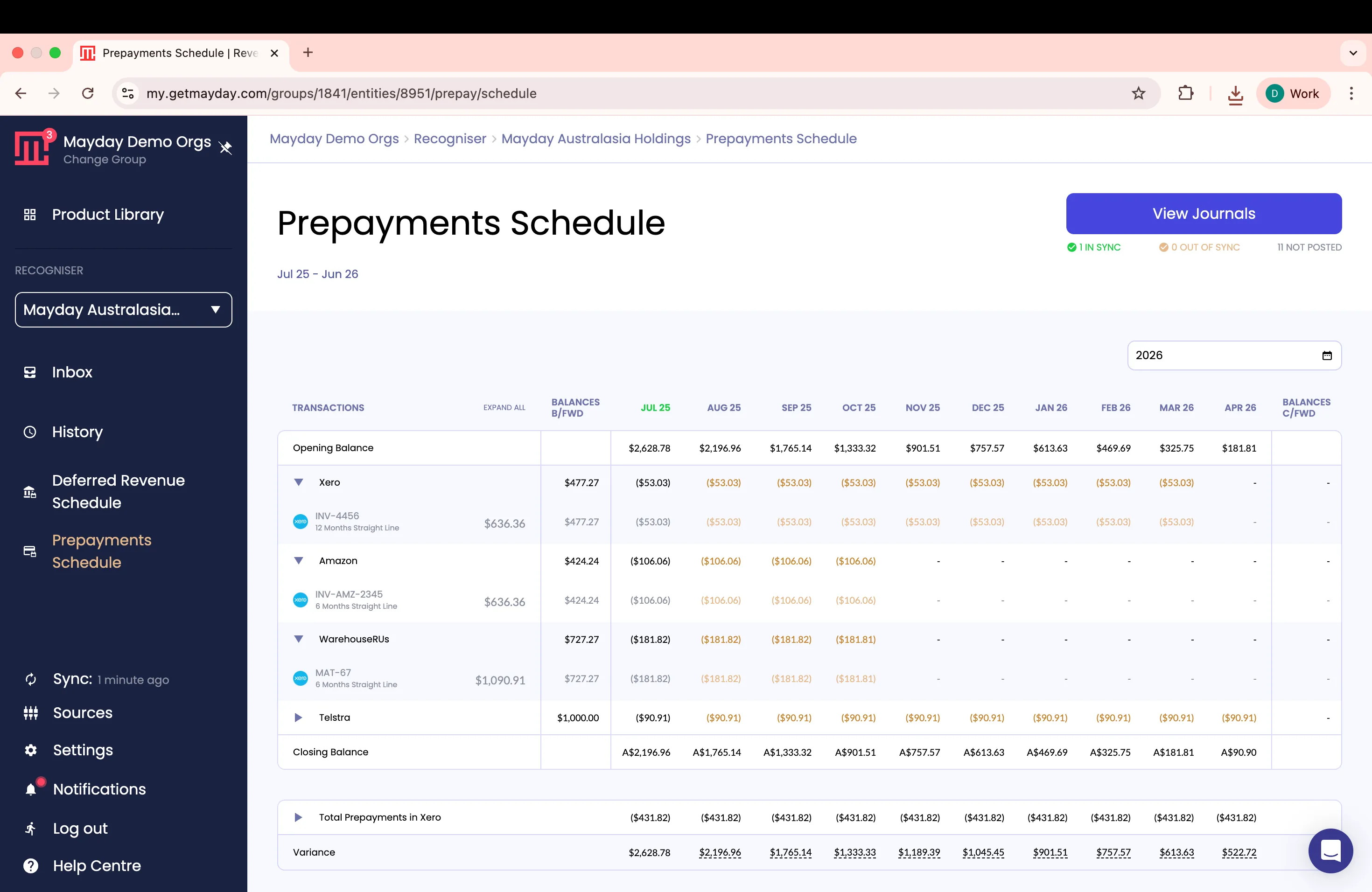
See all your prepayment schedules for the financial period in one clear view, so you can easily validate for release.
3. One-click post your journals
Once your schedules have been reviewed and you’re happy everything’s correct, post your journal to Xero or QuickBooks Online.

Post as draft or finalised
Decide whether to post at a transaction level or nominal level, depending on the level of detail you need.

Stay in sync
Visual indicators keep you on track: green for reconciled, gold for updates pending.
.webp)

